Last verified: 29/06/2026] | Verified against ph.iherb.com/shipping/ph
If you’ve placed an order on iHerb and noticed your tracking number routes through SF Express (also known as SF International), you’re working with one of the two primary carriers that iHerb uses for Philippine deliveries. SF Express handles a significant portion of iHerb’s international shipments to the Philippines under the ‘Global Air with Tracking‘ shipping option, and Filipino buyers often see faster delivery times via SF Express compared to alternative routes.
Quick summary: iHerb assigns SF Express or Ninja Van under their ‘Global Air with Tracking’ delivery option. Packages generally arrive in the Philippines within 7-12 days (3-4 days to Metro Manila). Orders over ₱3,700 frequently qualify for free shipping, and orders under ₱10,000 are typically exempt from duties. Track packages directly on the SF International tracking page. After customs clearance, SF Express may hand off final-mile delivery to local logistics partners like Flash Express, J&T, or Ninja Van.
This guide covers everything Filipino iHerb buyers need to know about SF Express delivery: how iHerb routes packages, expected delivery times by region, customs and duty rules, how to track shipments through the entire journey, what happens during local handoff to Philippine carriers, and how to troubleshoot when things don’t go as expected.
What is SF Express and Why iHerb Uses Them
SF Express (officially Shun Feng Express) is one of Asia’s largest international logistics companies. Their global division, SF International, specializes in cross-border e-commerce shipping with extensive networks across China, Southeast Asia, and the Pacific region. They’re headquartered in Shenzhen, China, and operate their own air freight fleet plus partnerships with local last-mile carriers in destination countries.
Why iHerb partners with SF Express
- Established presence in China (where iHerb’s Asia distribution center operates)
- Reliable international air freight infrastructure
- Sophisticated tracking systems with English-language interfaces
- Established customs clearance relationships in target countries including Philippines
- Competitive pricing for cross-border e-commerce volumes
- Local last-mile network in Philippines through partnerships
Visit SF International official Philippines portal >>
SF Express vs Ninja Van: which one will you get?
iHerb does not let customers choose between SF Express and Ninja Van. Their system automatically allocates the most cost-effective, rapid courier for your specific region based on factors like order origin warehouse, destination address, current carrier capacity, and package characteristics. You’ll typically receive one or the other – rarely both for the same shipment.
| Aspect | SF Express | Ninja Van |
| Origin handling | Hong Kong / Shenzhen hubs | Singapore / regional hubs |
| Tracking quality | Excellent (SF International portal) | Good (Ninja Van PH portal) |
| Speed to Metro Manila | 3-4 days possible | 5-7 days typical |
| Provincial coverage | Strong via local partners | Strong direct network |
| Last-mile partners | Flash, J&T, Ninja Van | Direct Ninja Van fleet |
| English-language tracking | Yes (SF International) | Yes (Ninja Van PH) |
Both carriers deliver reliably. SF Express tends to be faster for Metro Manila destinations while Ninja Van often has better last-mile coverage in remote provinces. Since you can’t choose, this comparison is mainly useful for setting expectations once iHerb assigns your carrier.
How to Get SF Express Delivery from iHerb
There’s no direct way to request SF Express specifically – iHerb’s algorithm assigns carriers. However, choosing the right shipping option ensures you’re in the pool that may receive SF Express service:
Step 1: At checkout, select Global Air with Tracking
This is iHerb’s standard international shipping option for Philippines. When you reach the shipping selection page during checkout, you’ll see options ranked by speed and cost. Global Air with Tracking is the default and most common selection for Filipino buyers.
View official iHerb Philippines shipping page >>
Step 2: Let iHerb auto-allocate the carrier
After you confirm shipping selection and place your order, iHerb’s logistics system automatically picks the most cost-effective, rapid courier for your specific region. This happens during the order processing stage (24-48 hours after order). You won’t see the specific carrier until you receive your tracking number via email.
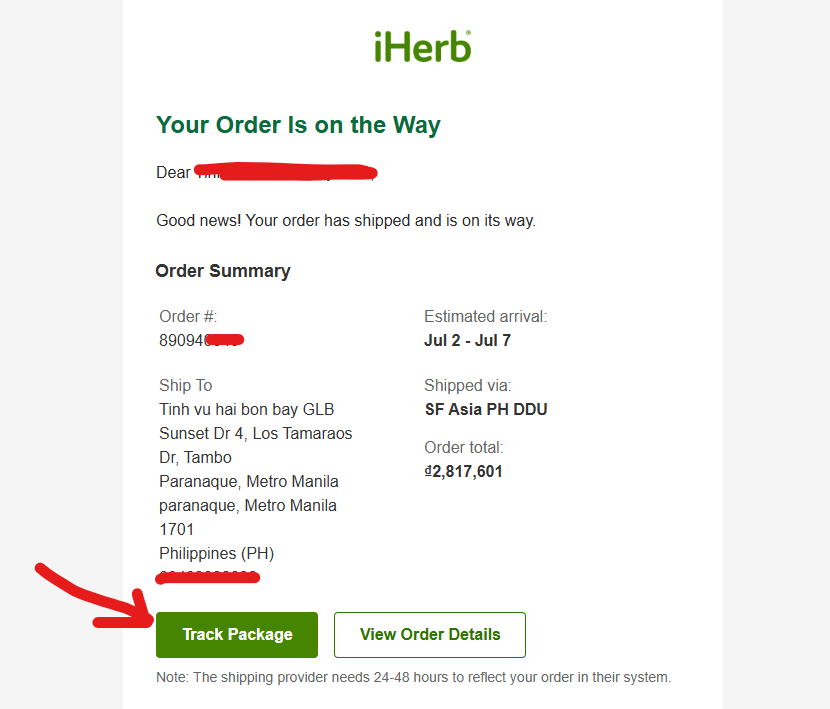
Step 3: Identify SF Express from tracking format
When your tracking number arrives, you can identify SF Express by the format:
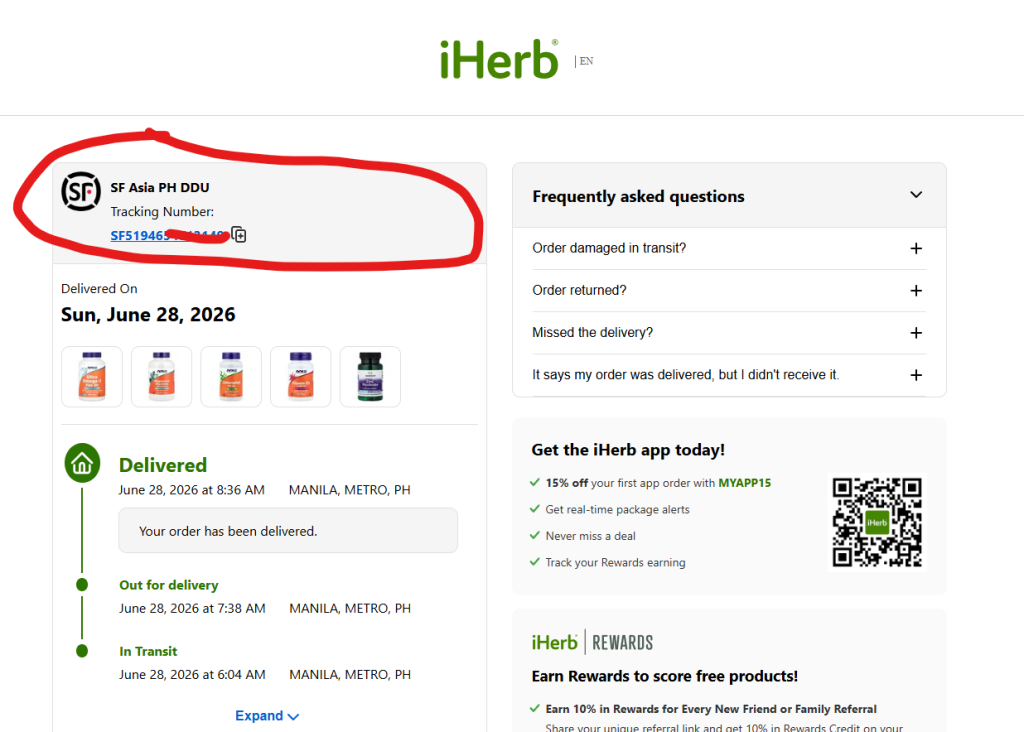
- SF Express tracking numbers typically start with ‘SF’ followed by 10-12 digits
- Example formats: SF1234567890, SF1234567890CN
- Length: usually 12-14 characters total
- Track at SF International portal (link in tracking section below)
If your tracking number doesn’t start with ‘SF,’ you’ve likely been assigned Ninja Van or another carrier. See our separate iHerb Ninja Van Philippines guide for that scenario.
SF Express Delivery Times to Philippines
Delivery times vary significantly based on your address. Metro Manila benefits from direct air freight routing and consolidated last-mile networks, while provincial addresses take longer due to inter-island logistics and carrier handoffs.
Expected delivery time by destination
| Destination | SF Express Time | Range | Notes |
| Metro Manila (NCR) | 3-4 days | 3-7 days | Fastest – direct hub access |
| Cebu City | 5-8 days | 5-10 days | Major air hub |
| Davao City | 6-9 days | 6-12 days | Mindanao routing |
| Iloilo, Bacolod | 5-9 days | 5-11 days | Visayas regions |
| Tagaytay, Laguna, Cavite | 4-6 days | 4-8 days | Greater Manila area |
| Provincial cities (typical) | 7-10 days | 7-14 days | Local partner dependent |
| Remote provinces, islands | 9-12 days | 10-18 days | Inter-island logistics |
Why Metro Manila is so much faster
Metro Manila benefits from Manila International Cargo Terminal direct routing – SF Express consolidates Philippine-bound packages into single air shipments that land at MICT, clear customs as a batch, then disperse via Metro Manila last-mile network. For provincial addresses, additional steps add time: domestic air freight to regional hub, customs at secondary points, handoff to provincial logistics partner.
Real-world delivery times are sometimes faster than these estimates. Many Metro Manila customers report receiving SF Express packages within 3-5 days from iHerb dispatch. Provincial buyers in Cebu and Davao often see 5-7 day delivery. The estimates above are conservative ranges accounting for customs delays, weather disruptions, and last-mile coordination.
Customs Limits and Duty-Free Thresholds
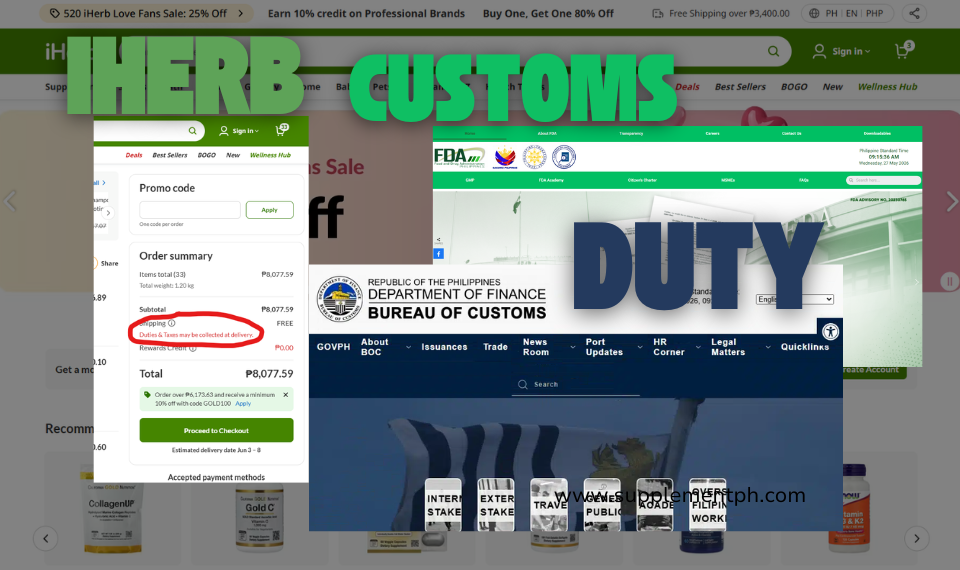
Shipments to the Philippines under ₱10,000 are tax and duty-free under the Philippine de minimis rule. This threshold applies to the total declared value of your iHerb order. If your order exceeds this limit, you may be liable for duties and taxes set by Philippine Customs.
What’s included in the ₱10,000 threshold
- Product costs (item prices)
- Shipping fees (added to declared value)
- Insurance if applicable
- Total declared value on customs declaration
What happens if your order exceeds ₱10,000
If your order exceeds ₱10,000 declared value, expect:
- Bureau of Customs assessment of duties and VAT
- Notification from SF Express or local carrier requesting duty payment
- Delay in delivery while duty assessment processes (3-7 days)
- Payment options vary – sometimes online, sometimes cash on delivery
- Once paid, package releases for final delivery
Strategy: stay under ₱10,000 for first orders
For your first few iHerb orders, especially while learning the system, keep your total order value (including shipping) under ₱10,000 to avoid customs complications. This still allows substantial purchases – a typical month’s supplements for one person rarely exceeds ₱8,000. If you need more, consider splitting into two orders shipped a week apart.
Free shipping sweet spot: aim for cart total between ₱3,700 (free shipping threshold) and ₱9,500 (safe under customs threshold even with buffer for shipping fees and small exchange rate fluctuations). This range maximizes value while minimizing risk of customs delays.
How to Track Your iHerb SF Express Package
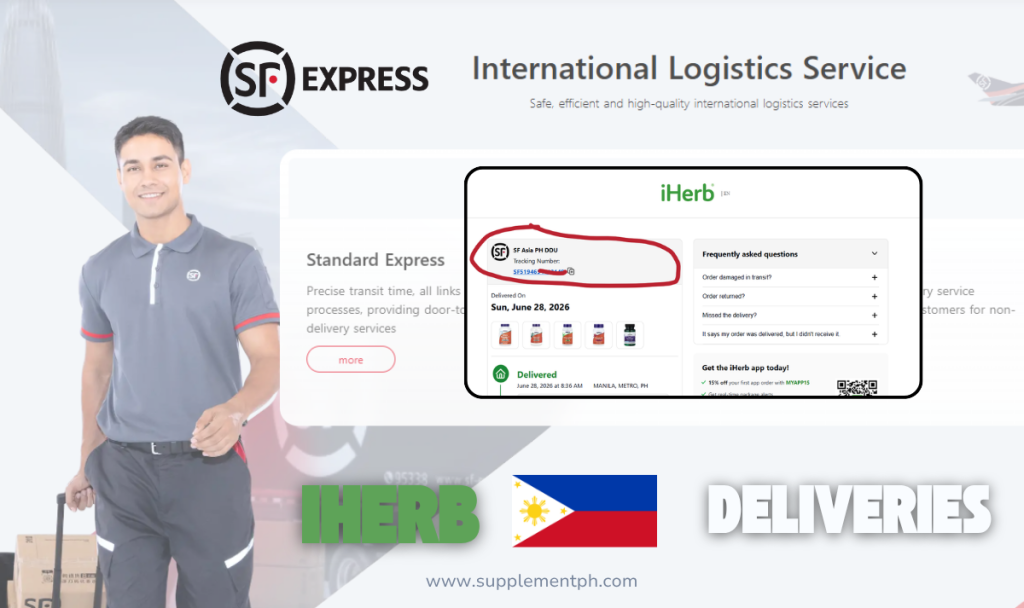
Once iHerb dispatches your package and you receive the SF Express tracking number, you can follow the package step-by-step from origin to destination directly on the SF International tracking page.
Open SF International Tracking page >>
Step-by-step tracking process
- Wait for iHerb shipping confirmation email (typically 24-48 hours after order)
- Copy the SF Express tracking number from the email (starts with ‘SF’)
- Visit the SF International tracking portal
- Paste your tracking number and click search
- View real-time status updates with timestamps
- Bookmark the tracking page for repeated checks
Tracking statuses you’ll see
| Status | What It Means | Typical Duration |
| Order Received | SF Express received from iHerb | 1 day |
| Picked Up | Package collected from iHerb warehouse | 1-2 days |
| Departed Origin | Left international hub (Hong Kong/Shenzhen) | Same day |
| In Transit | Air freight to Philippines | 2-4 days |
| Arrived in Philippines | Landed at Manila or Cebu | 1 day at hub |
| Customs Clearance | Going through Philippine customs | 1-3 days |
| Out for Delivery | Local carrier en route to your address | Same day |
| Delivered | Package received with signature | End state |
Both iHerb and SF International tracking – use both
iHerb’s own order page (in your account) shows order status updates from their system. SF International’s tracking shows carrier-level updates. They synchronize but sometimes update at different times. Check both for the most complete picture.
Local Hand-Off: From SF Express to Philippine Carriers
In some cases, once the package clears customs, SF Express hands off the final-mile delivery to local logistics partners like Flash Express, J&T Express, or Ninja Van. This is normal and doesn’t indicate any problem – it’s how SF Express efficiently reaches addresses across the entire Philippine archipelago without maintaining their own last-mile fleet everywhere.
Common local last-mile partners
Flash Express Philippines tracking >>
J&T Express Philippines tracking >>
Ninja Van Philippines tracking >>
How to identify the local handoff
When SF Express hands off to a local carrier, you’ll see this in tracking updates:
- SF Express tracking shows ‘Handed off to local partner’ or similar status
- Your tracking page may provide a NEW tracking number for the local carrier
- Once you have the local tracking number, switch to that carrier’s tracking site
- Final delivery updates come through the local carrier’s portal
What to do during handoff
Handoff typically takes 24-48 hours during which both tracking systems may show stale information. Don’t panic – the package is in transit. Once the local carrier processes the package, you’ll see ‘Out for delivery’ status with an estimated arrival date.
Phone number critical: Local carriers (Flash, J&T, Ninja Van) call your registered mobile number before delivery attempt. Make sure your iHerb account has an active Philippine mobile number. Missing calls can result in failed delivery attempts requiring rescheduling.
Tips for Smoother SF Express Delivery
Before placing your order
- Enter your address completely – include barangay, ZIP code, and landmarks for provincial addresses
- Use active Philippine mobile number with country code +63
- Keep cart total between ₱3,700 (free shipping) and ₱9,500 (safely under customs)
- Place orders Monday-Wednesday for fastest weekly cycle
- Avoid placing orders right before Philippine holidays (customs delays)
After placing your order
- Bookmark the SF International tracking page
- Note your tracking number in a notes app for easy reference
- Keep your phone available for courier coordination calls
- Check tracking once daily, not constantly (updates batch every 6-12 hours)
- Don’t panic at 24-48 hour quiet periods (normal during customs)
When package arrives
- Inspect package immediately – check for damage or tampering
- Verify all items in your order are present and intact
- Take photos if anything looks wrong (for potential customer service)
- Sign for delivery only after visual inspection
- Save the invoice and packing slip until you’ve confirmed product quality
Troubleshooting Common SF Express Issues
Tracking hasn’t updated in 3+ days
Most common cause: package is in customs clearance, which doesn’t always update tracking. Wait another 2-3 days. If still no update after 7 days of silence, contact iHerb customer service via live chat with your order number and tracking number.
Tracking shows ‘Customs Held’ or duty assessment
If your order exceeds ₱10,000 or contains items requiring inspection, customs may hold the package for assessment. You’ll receive instructions for duty payment from SF Express or the local carrier. Pay promptly (within 7 days) to avoid further delays. Most assessments are minimal for personal-use orders.
Package shows ‘Delivered’ but you didn’t receive it
Several possible scenarios:
- Check with security guard, building reception, or office front desk
- Ask neighbors if they accepted delivery on your behalf
- Contact the local last-mile carrier (Flash/J&T/Ninja Van) with tracking number
- If still unresolved within 48 hours, contact iHerb customer service
- Provide photos of your address, building, and area for investigation
Wrong address on tracking
If you notice the shipping address shown on tracking doesn’t match what you entered, immediately contact iHerb customer service. They can sometimes correct addresses while package is in transit, though once handed off to last-mile carrier, corrections become difficult.
Package damaged or items missing on delivery
Document everything with photos:
- External package condition (damage, tampering signs)
- Internal packaging condition
- Damaged products with clearly visible damage
- Empty space where missing items should be
Contact iHerb customer service within 7 days with order number and photos. iHerb’s resolution is typically refund, replacement, or partial credit within 24-48 hours.
Frequently Asked Questions
Can I request SF Express specifically when ordering iHerb?
No. iHerb’s logistics system auto-allocates carriers based on origin warehouse, destination, carrier capacity, and other factors. You can only select ‘Global Air with Tracking’ as the shipping method. Whether your package is assigned to SF Express, Ninja Van, or another carrier is determined by iHerb’s algorithm, not your preference.
Is SF Express faster than Ninja Van for iHerb deliveries?
SF Express often delivers slightly faster to Metro Manila (3-4 days vs Ninja Van’s 5-7 days). For provincial destinations, the difference is smaller as both carriers use local last-mile partners. Speed difference is also affected by Philippine customs processing times, which apply equally to both carriers.
What’s the SF Express tracking number format?
SF Express tracking numbers typically start with ‘SF’ followed by 10-12 digits, sometimes ending with ‘CN’ for China origin packages. Examples: SF1234567890, SF1234567890CN. Track at sf-international.com/ph/en/support/querySupport/waybill.
Do I pay customs duties on iHerb orders via SF Express?
Under Philippine de minimis rules, orders with total declared value under ₱10,000 are typically exempt from duties and VAT. Orders exceeding ₱10,000 may face customs assessment. Stay under ₱10,000 for hassle-free clearance.
Why does SF Express hand off my package to Flash Express?
SF Express partners with local Philippine carriers (Flash Express, J&T Express, Ninja Van) for last-mile delivery in areas where they don’t maintain their own fleet. This is standard logistics practice and doesn’t indicate any problem with your order. The local carrier handles the final delivery to your address.
How do I track a package after SF Express hands it off?
Once SF Express hands off to a local carrier, you may receive a new tracking number for that carrier (Flash Express, J&T, or Ninja Van). Switch to the local carrier’s tracking portal using the new number. Some local carriers also accept the original SF tracking number, but the new number provides more detailed last-mile updates.
What if my SF Express package is delayed?
Some delay (1-3 days beyond estimates) is common due to customs, weather, or capacity. If your package is more than 5 days beyond the estimated delivery date with no tracking updates, contact iHerb customer service via live chat with your tracking number. They coordinate with SF Express to investigate.
Is free shipping really at ₱3,700?
Free shipping via Global Air with Tracking (which includes SF Express assignments) currently kicks in at ₱3,700 cart total. This threshold can change with iHerb’s promotional periods – sometimes lowered, sometimes raised. Always verify at ph.iherb.com/shipping/ph before placing your order. iHerb shows the current threshold in your cart as you build it.
Can SF Express deliver to remote provinces?
Yes, but typically through local partner handoff. SF Express covers all 81 Philippine provinces via their last-mile network. Remote areas (Catanduanes, Tawi-Tawi, smaller islands) may take 10-18 days as the package routes through inter-island logistics. Major provincial cities receive service in 5-10 days.
What’s the difference between SF Express and SF International?
SF Express is the parent brand. SF International is their cross-border e-commerce division that handles international shipments including iHerb deliveries. Their tracking system at sf-international.com is what you use for iHerb packages. Same company, different service lines.
Final Tips for First-Time SF Express Recipients
Save these tips: (1) SF Express assignment is automatic – select ‘Global Air with Tracking’ at iHerb checkout. (2) Track at sf-international.com using the SF prefix tracking number from your shipping email. (3) Expect 3-4 days to Metro Manila, 7-12 days nationwide. (4) Keep orders under ₱10,000 to avoid customs duties. (5) Maintain active phone for courier coordination. (6) After customs, watch for handoff to local carrier (Flash/J&T/Ninja Van). (7) Inspect package on delivery and report issues within 7 days.
Ready to Order with SF Express Delivery?
Now that you understand how SF Express delivery works with iHerb Philippines orders, you can shop with confidence. Visit ph.iherb.com, build your cart between ₱3,700 (free shipping) and ₱9,500 (safe under customs threshold), apply welcome code BSS5750 at checkout, select Global Air with Tracking, and watch SF Express deliver to your door in 3-12 days.
Start shopping on ph.iherb.com >>
View official iHerb Philippines shipping page >>
Bookmark SF International tracking page >>
Related Guides
- iHerb Philippines Shipping Guide – complete shipping methods overview
- iHerb Ninja Van Philippines – alternative carrier guide
- iHerb Customs and Duty Guide Philippines – de minimis rules detailed
- How to Order from iHerb Philippines – complete checkout walkthrough
- How to Pay iHerb with GCash – Filipino payment guide
- Is iHerb Legit? – trust and safety verification
- iHerb Promo Code Philippines – current sales programs
- Best Collagen on iHerb Philippines – bestseller guide
Authoritative Sources
- iHerb Philippines official shipping page: ph.iherb.com/shipping/ph
- SF International tracking portal: sf-international.com/ph/en/support/querySupport/waybill
- SF International Philippines home: sf-international.com/ph/en
- Bureau of Customs Philippines: customs.gov.ph
- iHerb Quality Promise (manufacturing standards): ph.iherb.com/info/quality
Editorial Disclosure: Shipping thresholds, customs rules, and carrier policies in this guide are based on verified information from ph.iherb.com/shipping/ph and SF International official documentation as of June 2026. Free shipping threshold (₱3,700) and customs duty-free limit (₱10,000) can change based on iHerb promotional periods and Philippine customs policy updates. Always verify current rules through official sources before placing orders, especially for high-value purchases. SupplementPH participates in iHerb’s affiliate program through Involve Asia, meaning we may earn commission on purchases made through links in this article at no cost to you. SF Express links are informational only – we have no affiliate relationship with SF Express or other Philippine carriers. See our Affiliate Disclosure for full transparency.