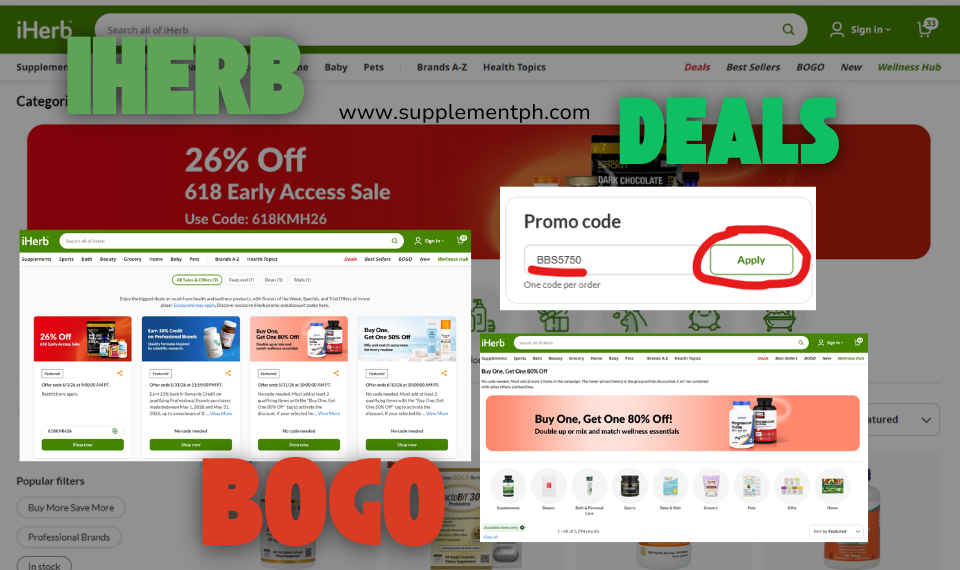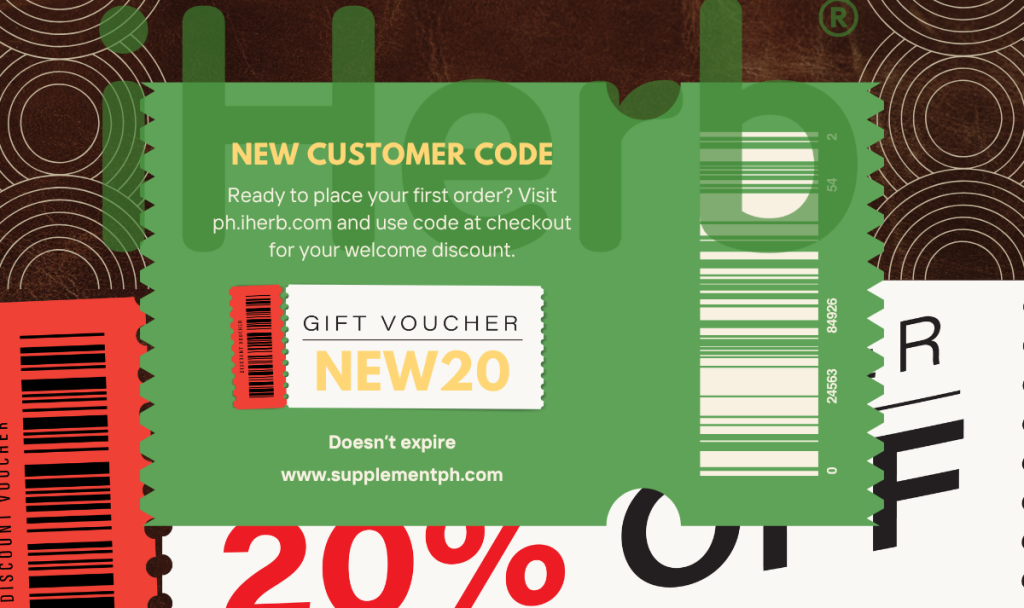
Placing your first order on iHerb from the Philippines? Smart move – iHerb offers exclusive discounts for new customers that can save you 5-20% on your first purchase. If you’re searching for the current “iHerb new customer code“, this guide gives you the code directly, shows exactly how to apply it, and explains how to stack it with other promotions for maximum first-order savings.
Your iHerb New Customer Code


Copy this code and apply it at checkout on ph.iherb.com. This code is exclusive for new iHerb customers and unlocks a discount on your first order. The exact discount percentage varies (typically 5-10%) but can be stacked with iHerb’s ongoing sales for total savings of 20% or more on your first purchase.
Quick summary: Use code NEW20 at ph.iherb.com checkout as a new customer to unlock your first-order discount. Combine with current Brand of the Week (20% off), Trial Offers (reduced trial pricing), Specials section (30-50% off), and free shipping over ₱3,700 for maximum savings. Your first order should target ₱3,700-9,500 to hit free shipping while staying under the ₱10,000 customs threshold.
What is the iHerb New Customer Code?
The iHerb new customer code is a discount code applied to your first order that reduces the total cost by a specified percentage. iHerb uses these codes as part of their customer acquisition strategy – they reward new customers with initial savings to establish shopping habits, knowing that satisfied first-time customers typically become repeat monthly buyers.
Who qualifies as a ‘new customer’?
You qualify as a new customer if you meet these criteria:
- You’ve never placed an order on iHerb before
- You’re creating your first iHerb account
- You haven’t used a new customer code with iHerb previously
- Your email address hasn’t been registered with iHerb before
How much can you save with the code?
iHerb’s new customer discount varies by promotion period and referral partner, typically ranging from 5% to 10% off your first order. Here’s a realistic savings breakdown:
| First Order Size | 5% Discount | 10% Discount | Plus Sale Stack |
| ₱3,000 | ₱150 saved | ₱300 saved | ₱600-900 total |
| ₱5,000 | ₱250 saved | ₱500 saved | ₱1,000-1,500 total |
| ₱7,500 | ₱375 saved | ₱750 saved | ₱1,500-2,250 total |
| ₱10,000 | ₱500 saved | ₱1,000 saved | ₱2,000-3,000 total |
The ‘Plus Sale Stack’ column shows realistic total savings when you combine the new customer code with iHerb’s ongoing promotions (Brand of the Week, Specials, Trial Offers). These are cumulative – you get all the discounts stacked, not just the best single one.
How the iHerb New Customer Code Works
Method 1: Auto-apply via referral link (easiest)
The simplest way to apply the new customer code is through a referral link that includes the code parameter. When you click the link, iHerb’s system automatically recognizes the code and applies it to your account.
After clicking, complete your account creation and shopping normally. The discount will show in your cart before checkout – no manual code entry needed.
Method 2: Manual code entry at checkout
If you prefer to enter the code manually or if the auto-apply doesn’t work:
- Add items to your cart on ph.iherb.com
- Click the shopping cart icon and proceed to checkout
- Look for the ‘Promo Code’ or ‘Coupon Code’ field on the checkout page
- Enter code NEW20 exactly as shown (case-sensitive)
- Click ‘Apply’ to activate the discount
- Verify the discount appears in your order summary before completing payment
Method 3: Enter during account creation
You can also add the referral code when creating your iHerb account:
- Go to ph.iherb.com and click ‘Create Account’
- Enter your email and create a password
- Look for ‘Referral Code’ or ‘Optional: Enter Referral Code’ field
- Enter code NEW20
- Complete account creation – the code links to your account permanently
Stack Your New Customer Code with Other iHerb Discounts
The real savings on iHerb come from stacking multiple promotions on the same order. Your new customer code is just one layer – here’s the full stack you can use as a first-time buyer:
Layer 1: Sale prices (automatic)
Products on iHerb have base prices and often lower sale prices. Sale pricing is applied automatically – no code needed. Common sale programs include:
Browse current iHerb sales and promotions >>
- Brand of the Week – rotates Mondays with 20% off a featured brand
- Specials section – 30-50% off rotating products
- Daily Deals – time-limited discounts on bestsellers
- Clearance items – end-of-batch stock at significant discounts
Layer 2: Trial Offers (for trying new products)
iHerb’s Trial Offers program lets you buy select products at 15-30% below regular price – designed for trying new brands without full-price commitment. Excellent for first orders when you’re still exploring what you like.
Layer 3: Your new customer code (this article)
Apply code NEW20 for your first-order discount. This applies AFTER sale prices, so if you buy a ₱1,000 item on 20% sale (₱800), your 5% welcome code reduces it further to ₱760. The discounts compound.
Layer 4: Free shipping over ₱3,700
Any cart total above ₱3,700 qualifies for free Global Air with Tracking shipping to Philippines. This alone saves ₱350-600 in shipping fees. Build your cart to at least ₱3,700 (after all discounts) to unlock this.
Layer 5: iHerb Rewards (5% back for future orders)
Every iHerb order earns you 5% back as iHerb Rewards credits (also called iHerb Pesos), which you can apply to future orders. On a ₱5,000 first order, you earn ₱250 in credits for your second order. This creates ongoing savings across all future purchases.
Total realistic first-order savings
Example maximum savings first order (₱5,000 cart): ₱500 from sale prices (10% average) + ₱250 from new customer code (5%) + ₱500 shipping (free) + ₱250 iHerb Rewards for future = ₱1,500 total savings on ₱5,000 order = 30% effective discount. For an ₱8,000 cart, savings can exceed ₱2,500 total.
What to Buy on Your First iHerb Order
Now that you have your code, here are the best products to build your first order around. These recommendations combine iHerb’s top-reviewed items with good value pricing:
Bestseller collagen (most-purchased iHerb product)
California Gold Nutrition CollagenUP is iHerb’s #1 bestseller with 320,886+ verified reviews at 4.7/5. Marine collagen peptides with hyaluronic acid and Vitamin C for skin, hair, and joint support. Currently priced at ₱1,089.86 for 206g.
Popular energy and heart supplement
Doctor’s Best High Absorption CoQ10 with BioPerine is one of iHerb’s most-purchased cardiovascular supplements. 13,555+ reviews at 4.8/5. Currently ₱1,317.95 for 60 Veggie Caps.
First-order cart building strategy
- Pick 1-2 core items you know you want (₱1,500-2,500)
- Add 1-2 sale items to bridge value (₱1,000-1,500)
- Add 1 Trial Offer to test something new (~₱500)
- Aim for total cart ₱3,700-6,000
- Verify all discounts applied in cart before checkout
- Apply NEW20 if not auto-applied
- Free shipping activates above ₱3,700 – confirm before payment
Step-by-Step: Applying Your Code from Start to Finish
Here’s the complete workflow to redeem your iHerb new customer code from browsing to receiving your discount:
Step 1: Click a referral link (Copy code)
Clicking this link opens ph.iherb.com with your referral code parameter attached. iHerb’s system stores this in your browser cookie for the checkout process.
Step 2: Browse and add items to cart
Shop normally – search for products, click categories, use filters. As you add items to your cart, you may notice the referral code shown in your cart summary or at the header ‘Referral Code Applied: [code]’.
Step 3: Create your iHerb account
If you haven’t created an account yet, iHerb will prompt you during checkout. Enter:
- Email address (used for order confirmation and shipping updates)
- Password (12+ characters recommended)
- Optional: Confirm referral code NEW20 if prompted
Step 4: Proceed to checkout
Click the cart icon and ‘Proceed to Checkout.’ You’ll see the checkout page with sections for shipping address, shipping method, and payment.
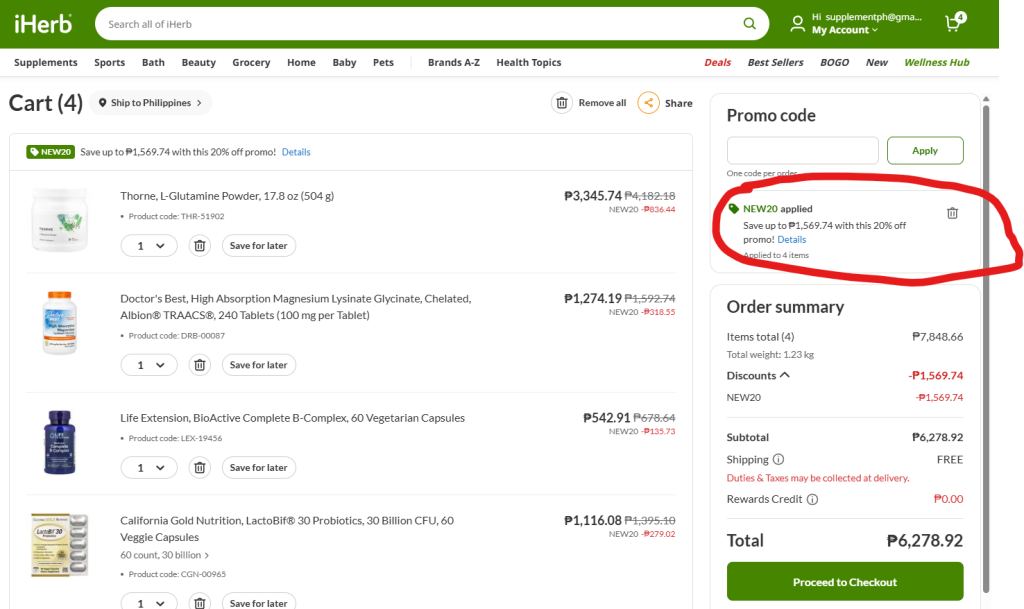
Step 5: Verify code applied
In the Order Summary section on the right side of checkout, look for:
- Subtotal (your items before discount)
- Sale discounts (auto-applied)
- Promo code / Referral discount (this is your new customer code)
- Shipping (should be FREE if cart ≥₱3,700)
- Total (final amount you’ll pay)
If the promo code discount line doesn’t appear, manually enter NEW20 in the ‘Promo Code’ field and click Apply.
Step 6: Complete payment
Choose your payment method (GCash, credit card, PayPal, etc.) and complete the transaction. You’ll receive an order confirmation email within minutes.
Step 7: Verify discount in confirmation
Open your order confirmation email and verify:
- The correct discount amount is shown
- Shipping is FREE (if applicable)
- Total matches what you expected to pay
If anything looks wrong, contact iHerb customer service via live chat within 24 hours of ordering – they can often adjust orders before shipment.
Troubleshooting Common Code Issues
Code shows ‘Invalid’ or ‘Not Applicable’
Most common causes:
- You’re not a truly new customer – iHerb tracks by email address
- Your email was previously used on iHerb (even for browsing)
- You’ve already used a new customer code with a different account
- Typo in the code – verify exact spelling
- Cart doesn’t meet minimum for the code (rare for new customer codes)
How to fix invalid code errors
- Double-check you typed the code correctly (case-sensitive)
- Try a different email address (personal Gmail vs work email)
- Clear browser cookies and click the referral link again
- Contact iHerb live chat – they can manually apply codes in some cases
- Check if you have a different, valid referral code you haven’t tried
Code applied but discount seems small
This is often confusing because iHerb discounts stack differently than users expect. Sequence:
- Sale prices apply first (already visible on product pages)
- Your new customer code applies to the SALE price, not the original price
- Example: ₱1,000 item on 30% sale = ₱700; 5% code = ₱35 off = ₱665 final
- So 5% code only saves ₱35, not ₱50 (would be off original price)
This is actually still an excellent deal because you’re getting the sale price PLUS the code PLUS free shipping – the total discount is what matters, not any single layer.
New customer code doesn’t apply to certain items
iHerb excludes certain product categories from promotional codes:
- iHerb gift cards (never eligible)
- Some already deeply-discounted clearance items
- Certain manufacturer-restricted items (varies)
- Shipping fees are not part of the code discount (though free shipping threshold still applies)
The vast majority of iHerb’s 30,000+ products ARE eligible. If a specific item shows the code doesn’t apply, replace it with a similar item that does.
Frequently Asked Questions
Is the iHerb new customer code the same as a promo code?
Yes, they’re the same thing in different terms. iHerb calls them referral codes, welcome codes, promo codes, or discount codes depending on context. All are entered in the ‘Promo Code’ field at checkout. The new customer code specifically targets first-time buyers with an introductory discount.
How long is my new customer code valid?
Once you’ve received a code, it remains valid until you use it on your first order or your iHerb account has placed any order. There’s typically no expiration date on the code itself. However, iHerb occasionally rotates codes with different discount amounts – the specific code shown in this article is verified current as of publication.
Can I use the new customer code on the iHerb mobile app?
Yes. The iHerb mobile app (free on iOS and Android) accepts promo codes the same way as the website. In the app’s checkout flow, look for the ‘Promo Code’ or ‘Coupon Code’ field and enter NEW20. The discount applies the same way as web checkout.
What if my first order fails and I need to place another?
If your first order was cancelled or refunded before shipping (payment declined, out of stock, etc.), iHerb typically considers your NEXT order as your first order. The code should still work. If it doesn’t, contact iHerb customer service – they can manually apply the discount to resolve the situation.
Can I share my new customer code with friends?
This particular code is designed for new iHerb customers. Sharing it with friends who haven’t ordered from iHerb before means they can also use it – so yes, you can share. However, iHerb also has a separate ‘Refer a Friend’ program that rewards both you and your friend when they make their first purchase. Check your iHerb account after your first order for referral link options.
Does the code work for K-beauty, sports supplements, and other categories?
Yes. The new customer code applies across virtually all iHerb product categories: vitamins, supplements, K-beauty, sports nutrition, pet supplies, personal care, and grocery items. Only gift cards and certain manufacturer-restricted items are excluded. See our Best K-Beauty on iHerb Philippines guide for popular skincare picks to add to your first order.
How do I know the discount is actually applied at checkout?
Look at the Order Summary section on the right side of the checkout page. You should see a line item showing ‘Promo Code’ or ‘Referral Discount’ with the peso amount being discounted. If this line doesn’t appear, the code hasn’t applied – either enter it manually in the promo code field or contact iHerb chat support.
Is there a maximum discount amount with the code?
New customer codes typically have no maximum discount cap – they apply as a percentage of your cart. So on a ₱10,000 first order, a 10% code gives you ₱1,000 off. This makes larger first orders slightly more efficient discount-wise, though you should stay under ₱10,000 total to avoid customs duties on shipments to Philippines.
What happens after I use the code on my first order?
After your first order, you’re a regular iHerb customer. The new customer code specifically can’t be used again. However, you now become eligible for iHerb’s ongoing programs: Brand of the Week (20% off rotating brands), Specials (30-50% off), Daily Deals, Trial Offers, and iHerb Rewards (5% back on every order). See our iHerb Promo Code Philippines guide for ongoing sales programs.
Can I combine my new customer code with iHerb Rewards on the same order?
Rewards credits are earned on first order but typically applied to future orders (not the order that earned them). So your first order uses the new customer code, earns 5% back in rewards, and your second order can use those rewards for additional savings. See iHerb Rewards program details at ph.iherb.com/iherb-rewards.
Recommended First Order for Filipino Buyers
Here’s a proven first-order strategy that maximizes savings while staying safely under customs threshold:
Cart target: ₱5,000-7,000 (before discounts)
This range hits three critical thresholds:
- Above ₱3,700 = FREE shipping via Global Air with Tracking
- Below ₱10,000 = No customs duties (personal use under de minimis)
- Enough buffer for stack-out contingency
- Enough content to justify the 7-14 day international shipping wait
Sample first order for Filipino buyer
| Item | Category | Price |
| CGN CollagenUP 206g | Beauty/wellness | ₱1,089.86 |
| Doctor’s Best CoQ10 60ct | Heart/energy | ₱1,317.95 |
| Doctor’s Best K2 MK-7 60ct | Bone/heart | ₱876.61 |
| CGN Vitamin C 1000mg (from Specials) | Immunity | ~₱600 |
| 1 Trial Offer product | Testing new | ~₱500 |
| SUBTOTAL | ₱4,384.42 | |
| New customer code discount (5%) | -₱219.22 | |
| Free shipping | -₱500 | |
| TOTAL | ₱4,165.20 |
This example order saves approximately ₱720 vs no discount (₱219 code + ₱500 shipping) while delivering a comprehensive supplement starter stack. You’d pay ₱7,000+ for equivalent items at Watsons or Mercury Drug in Philippines.
Ready to Use Your Code?
You now have everything you need to place a smart first iHerb order with maximum savings. Your new customer code is NEW20, applies to your first order, and stacks with iHerb’s ongoing promotions for total savings up to 30% or more.
Related Guides for Maximum iHerb Value
- How to Order from iHerb Philippines – complete step-by-step tutorial for first-time buyers
- iHerb Promo Code Philippines – ongoing sales programs beyond new customer code
- iHerb Trial Offers Philippines – reduced-price product testing program
- iHerb Philippines Shipping Guide – free shipping details and carrier options
- Best Collagen on iHerb Philippines – most popular first-order category
- How to Pay iHerb with GCash – Filipino payment guide
- iHerb Customs and Duty Guide Philippines – stay under ₱10,000 threshold
- Is iHerb Legit? – trust verification before first order
Editorial Disclosure: The new customer code NEW20 shown in this article is our referral code through the Involve Asia affiliate network. When you use this code, iHerb provides you a first-order discount and pays SupplementPH a small commission at no additional cost to you. This is standard affiliate marketing practice and does not affect your discount amount or product prices. The specific discount percentage varies by iHerb promotional period (typically 5-10%). New customer discount availability, threshold amounts (₱3,700 free shipping, ₱10,000 customs), and stackable promotions can change without notice. Always verify current terms at ph.iherb.com before placing orders. See our Affiliate Disclosure page for full transparency.